Viewing the Results of a Compliance Check
14/11/2025
After successful configuration of all required parameters, the General Compliance area generates a nested, score-based assessment of the selected company's alignment with the framework compared to its peers.
This page explains how to view and interpret the results of a Compliance Check, which are presented as a nested list of indicator scores. You can toggle between Coverage, Specificity, Ambition, as well as Risk & Opportunities indicators, view peer comparison scores, and filter the displayed categories by Environmental, Social, and Governance segments.
Setting the four required parameters (company, report, framework, and peers) generates a nested list of indicator scores in the General Compliance area (1) providing an overview of the selected company's alignment with the ESG framework. This list also provides the names of the top and bottom peers (2). If you selected multiple reports from different years for one company, the corresponding year of the report will appear next to the company name in the respective peers column.
Tip
You can click the + icon in the title columns to view more peers, and on the - icon to view less. You can display the names of up to 5 peers in each peer comparison column.
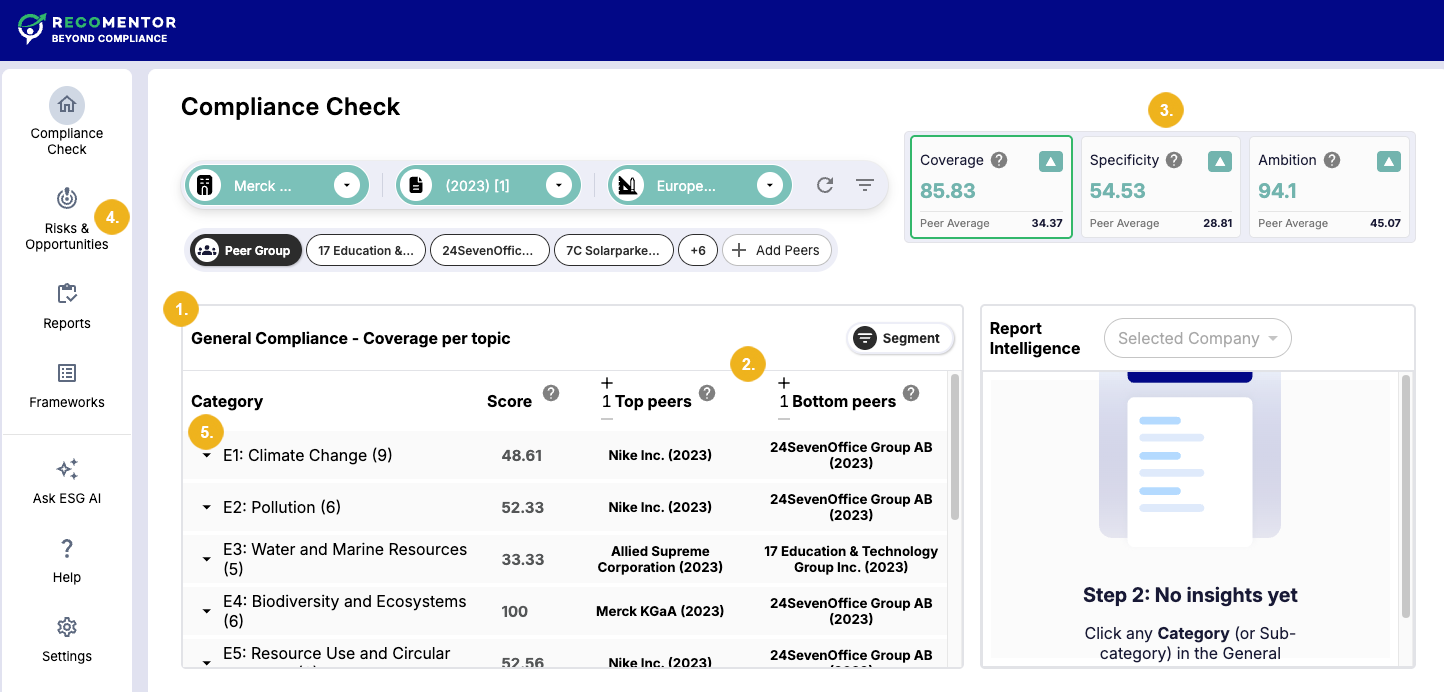
The results for the Coverage indicator are shown by default. You can switch to the Specificity or Ambition indicator by clicking on the calculated scores in the top right corner (3). Moreover, you can switch to the Risks & Opportunities tab on the menu bar on the left (4) to view your results in terms of the Risks and Opportunities indicators.
Each category in this list displays the indicator score based on your configuration for each topic in the Environmental, Social, and Governance segments. A category can be expanded by clicking the arrow next to it (5), revealing several levels of sub-categories for more granularity.
Recomentor allows you to visualize the distribution of a specific ESG compliance score across all companies in your selected peer group.
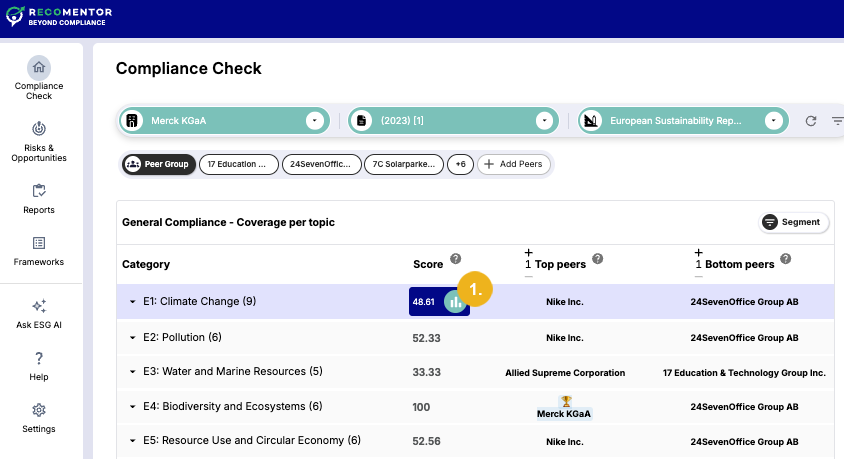
To view the distribution chart:
Click on a category's score. In the example above, the Coverage score for the category E1: Climate Change has been selected, as indicated by the score's dark blue background.
Select the Chart icon (1) that appears next to the score. A dialog box will open the bar chart that visualizes the score distribution.
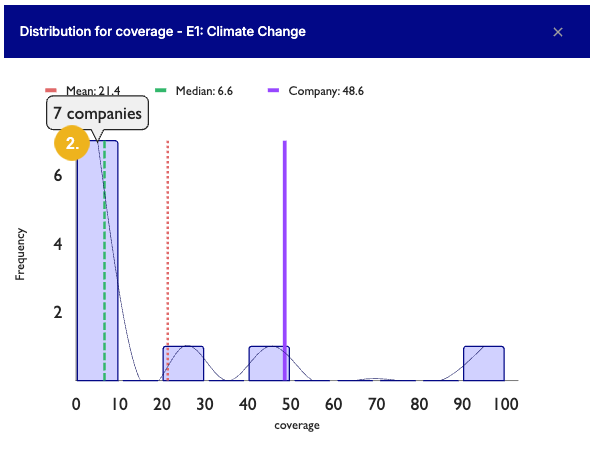
The chart displays a frequency distribution of the chosen ESG score within the peer group:
The X-axis represents the range of the indicator score (e.g., 0-10, 10-20, etc.).
The Y-axis shows the number of companies in the peer group that fall within that score range.
Tip
Hover over any bar to display the exact number of peers that have the corresponding score. (2)
This bar chart tells us the following information:
Most companies in the peer group have a Coverage score between 0 and 10.
The median, which is indicated by a green line, is
6.6. It is significantly lower than the mean of21.4, which is represented by a red line.The purple line represents the score of the selected company, which is
48.6. This score is considerably higher than both the median and the mean of the peer group, indicating a strong performance relative to its peers.The chart also shows that the scores are dispersed, with individual companies scoring in the
20-30,40-50, and90-100ranges.
This distribution chart provides crucial context for an individual company's ESG score, enabling performance benchmarking, goal setting, and comparison of results with the scores of the selected peer group.
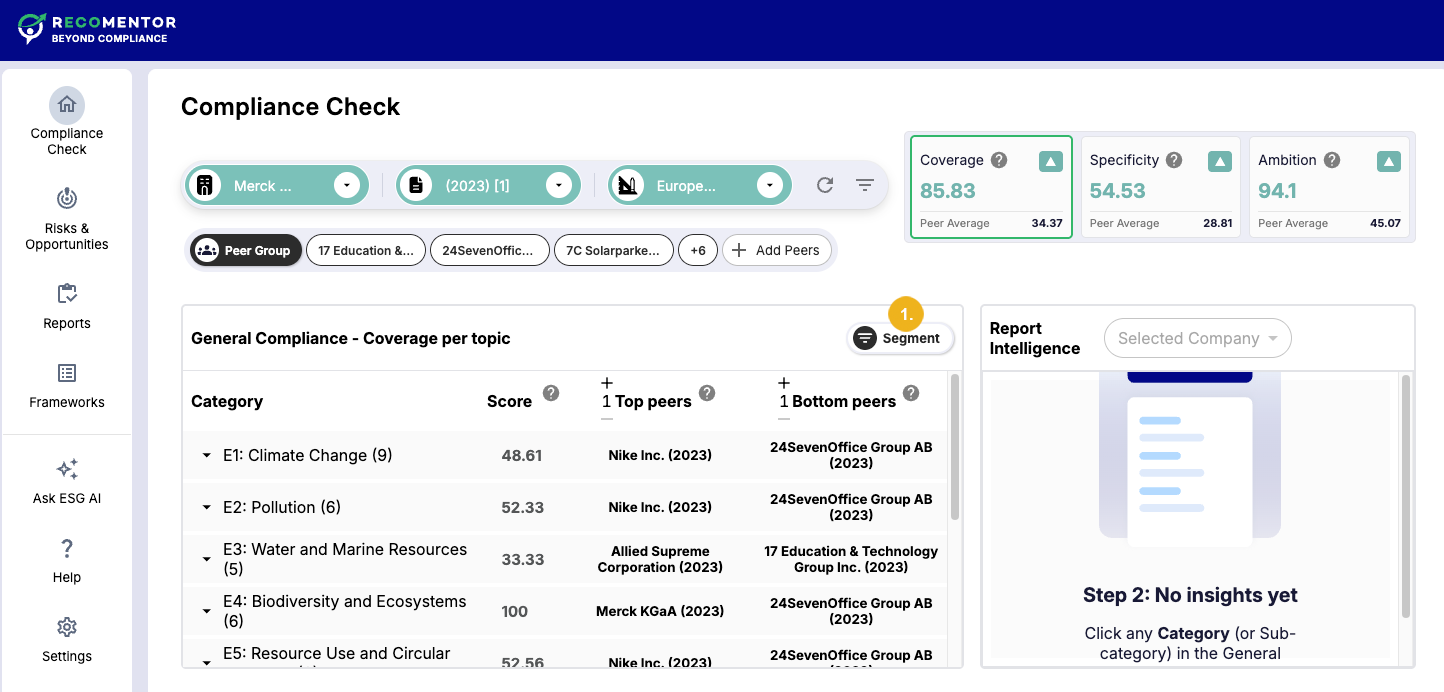
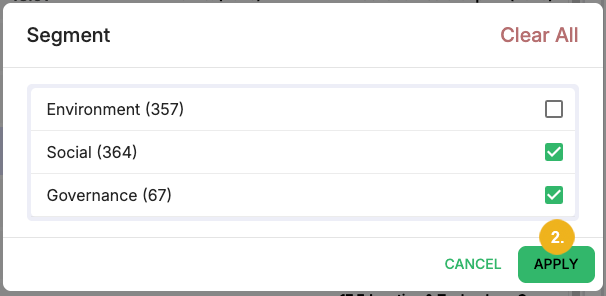
You can filter the displayed categories according to their ESG segments by selecting the Segment button (1). This will open a dialog where you can deselect or select the desired segments and click Apply (2) to confirm your selection. The list will then only contain topics within the chosen segment(s).
With your compliance check complete, you can now move to the Report Intelligence area to generate a detailed report reflecting your configuration, focusing on a specific category from the General Compliance area.