Generating a Report
28/10/2025
Users can generate a customizable ESG report in the Report Intelligence section based on their compliance check results for a chosen category, including options to compare a selected company with its top or bottom peers.
This page outlines how users can generate a customizable ESG report with Recomentor by selecting a category, with options to summarize the selected company's alignment or compare its results against its top or bottom peers.
After having successfully created a suitable configuration for your compliance check, you can view your results and choose one of the categories in the nested list in the General Compliance section. Simply select the desired category (1) and your report will be generated in the Report Intelligence section on the right (2).
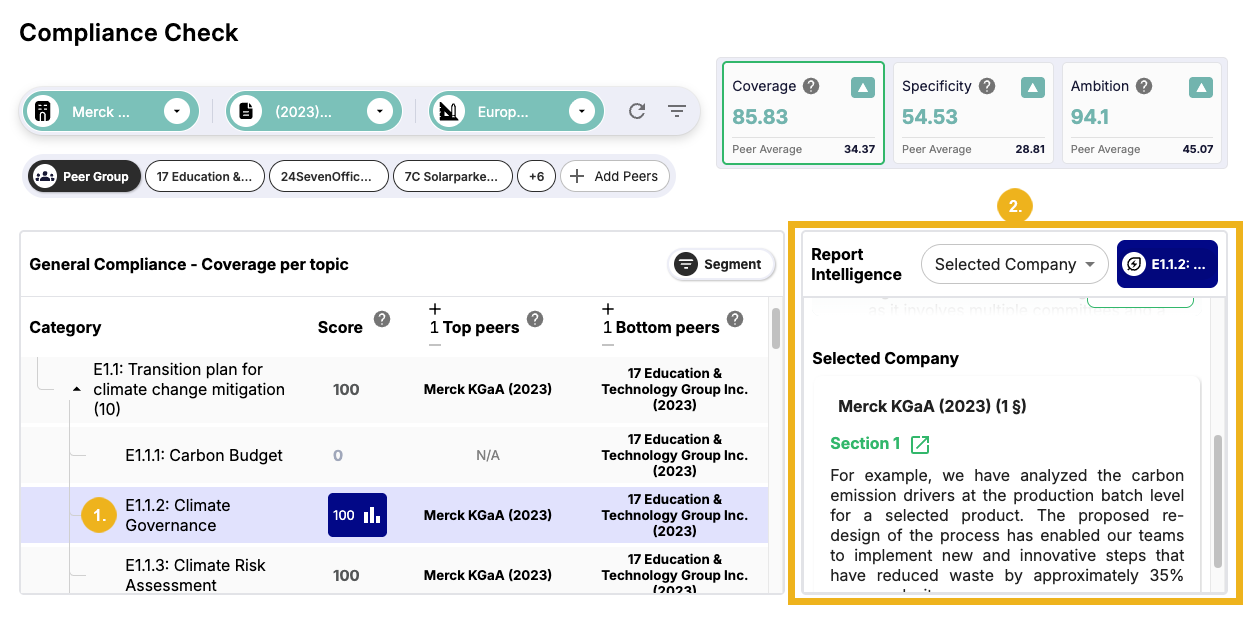
The green section in the Report Intelligence panel shows the generated report summarizing the selected company's alignment with the chosen category. Click Show More (3) to expand the report.
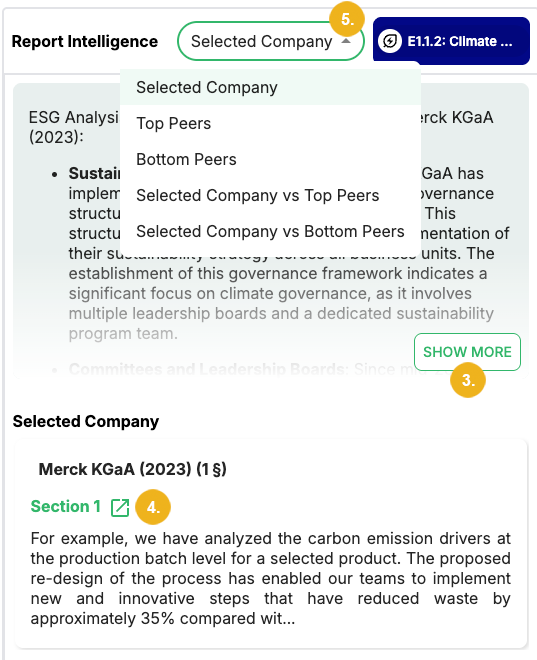
Below the green section is a list of source excerpts from the company's report. You can click on the Open icon (4) to open the page of the report where the relevant section is mentioned.
You can modify the report by selecting the following options from the drop-down menu (5) in the Report Intelligence section:
Selected Company: This is the default option. The report summarizes the selected company's alignment with the category.
Top Peers: The report summarizes and compares the highest scoring peers' alignment with the category.
Bottom Peers: The report summarizes and compares the lowest scoring peers' alignment with the category.
Selected Company vs Top Peers: The report compares the selected company's results with the results of its highest scoring peers.
Selected Company vs Bottom Peers: The report compares the selected company's results with the results of its lowest scoring peers.
Note
Reports are based on available documents. Depending on your configuration, some options in the Report Intelligence drop-down menu may yield no summary due to a lack of documents.