Managing Companies and Reports
30/10/2025
The Reports tab serves as the primary hub for managing company data, allowing users to locate and upload reports for both default and custom companies, in addition to adding, editing, and deleting custom company profiles.
The Reports tab (1) is your central hub for viewing and managing company data and reports. This list contains both default companies (from the common database) and custom companies (added by the user). Custom company data is stored in a separate, secure repository. For details on data handling, refer to the Recomentor Secure Data Management documentation.
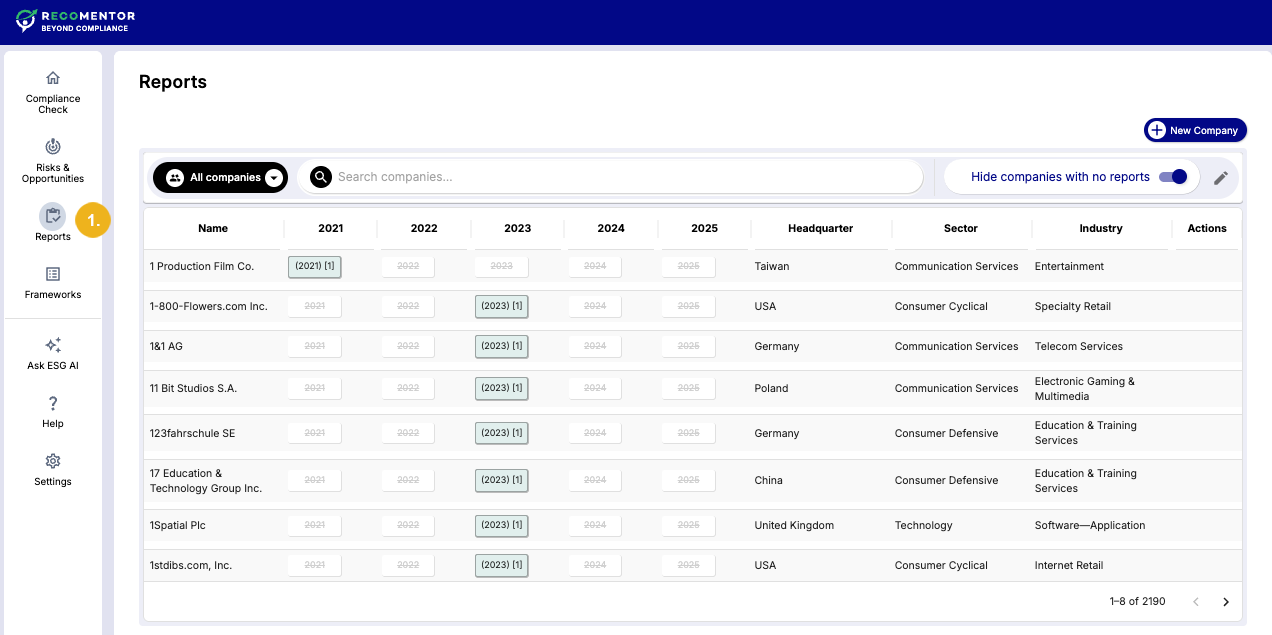
The Reports tab allows you to manage companies and reports with the following functions:
Locate a company by searching by name or applying attribute filters.
Add a custom company by entering new company data for comprehensive compliance checks.
Upload reports (published within the last five years) to both default and custom companies.
Edit custom company details, such as name, headquarters, industry, and numeric indicators.
Delete custom companies, removing their profiles from your list.
Note
Recomentor ships with default companies. These companies are located in the common database and cannot be edited or deleted. You can only add reports to them.
Recomentor provides several intuitive methods to locate companies:
Use the search field (1) to enter the company name directly.
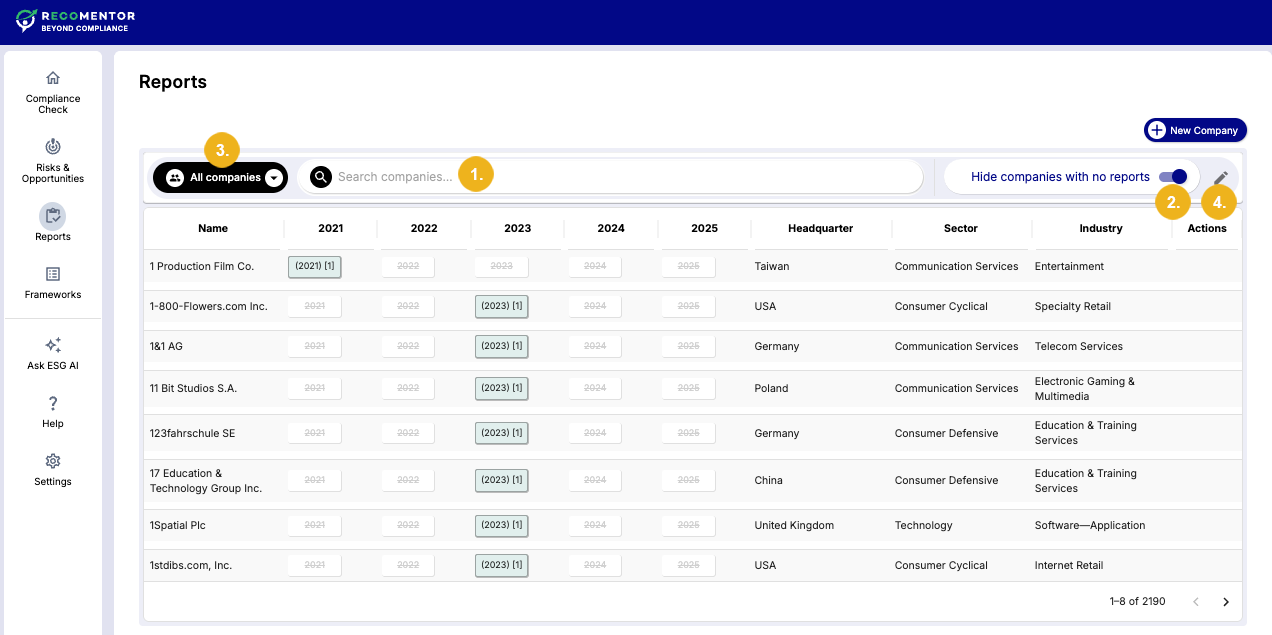
Filter by availability by toggling Hide companies with no reports (2) to view only companies that have at least one report in the database.
Display companies belonging to a custom group (3). For more information on how to create custom groups, see the Performing a Compliance Check documentation, Peer Selection section.
Click the pen icon (4) to access detailed filtering options:
Peer Classification System (5) and corresponding Activities (6) in a nested, faceted list.
Geographical Regions (7): Countries or economic/political regions.
Numeric Indicators (8): Employee count, total revenue, turnover, total assets, EOD stock price, and market capitalization.
Stock Exchange Type (9).
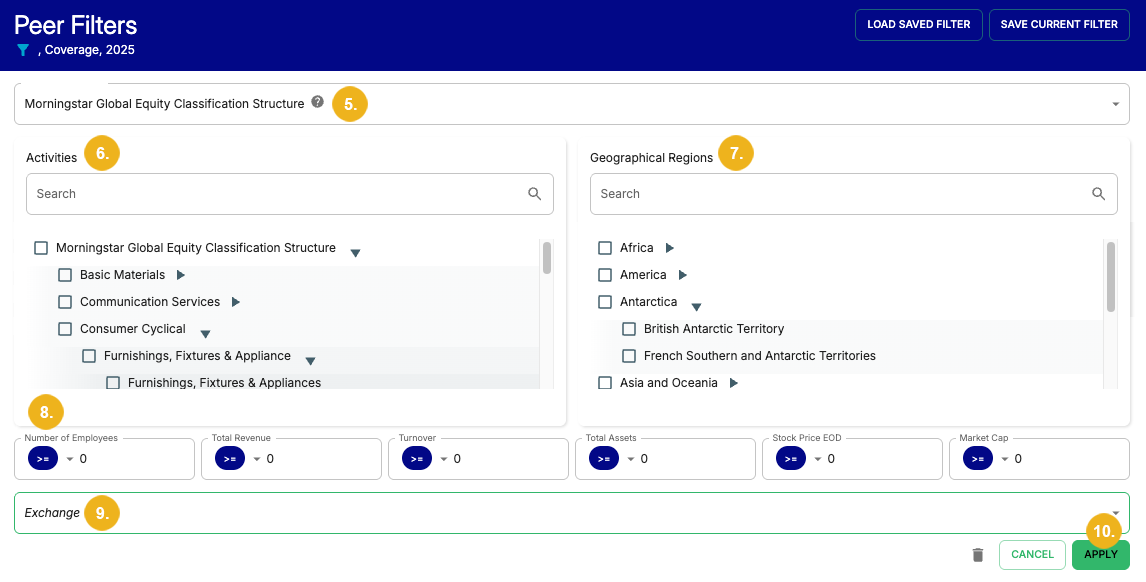
After configuring the desired filters, select Apply (10) to confirm.
If a company is not in the default list, you can add a custom company profile:
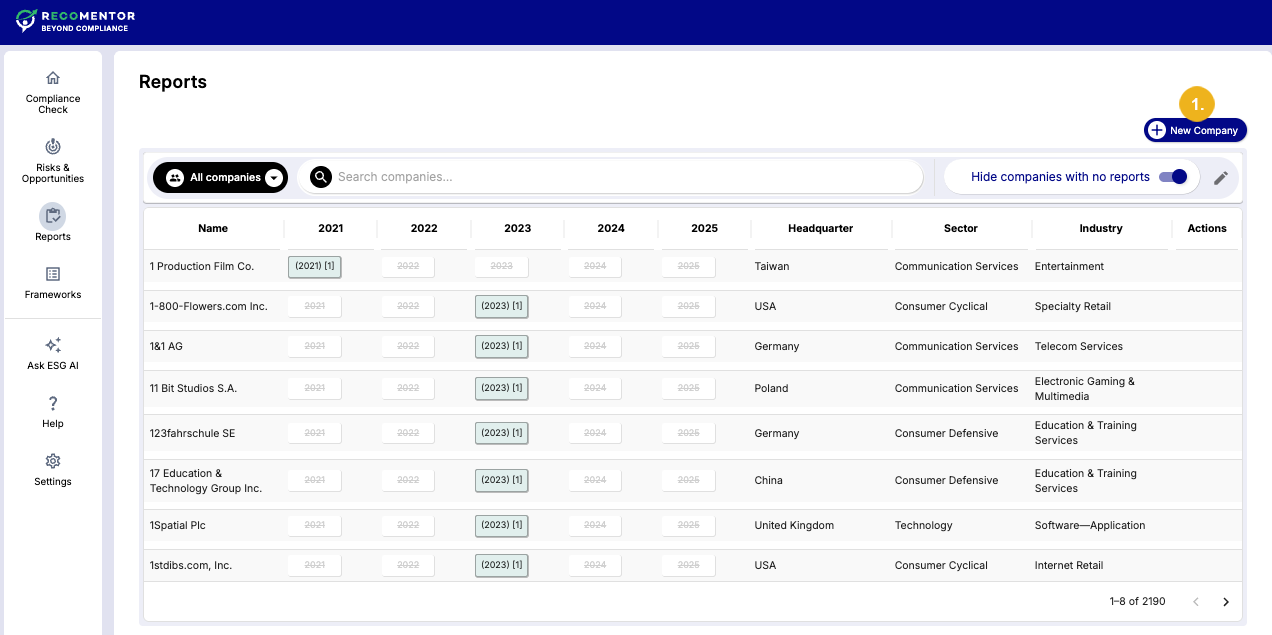
Click the New Company button (1) to open the Add Company dialog.
Fill out the form. Only the company's Name (2) is required. The fields in the Headquarters (3), Sectors & Industry (4), and Numeric Indicators (5) sections are optional. We recommend adding as much information as possible to ensure more accurate compliance check results.
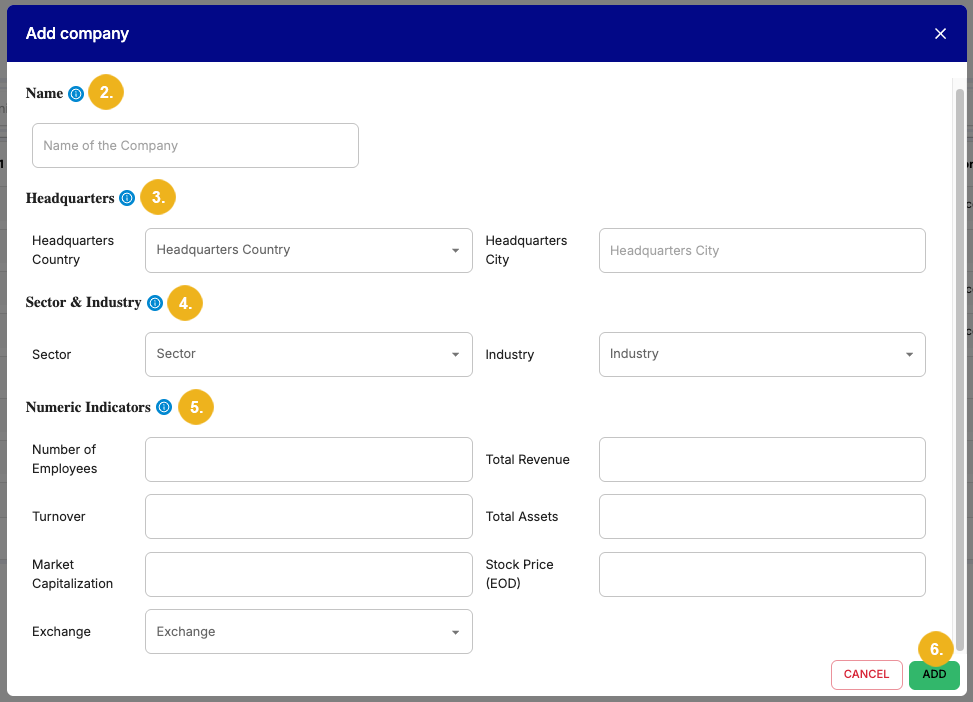
Click the Add button (6) to confirm.
The new company will appear in the list and can be found using the search bar. Its details can be edited at any point.
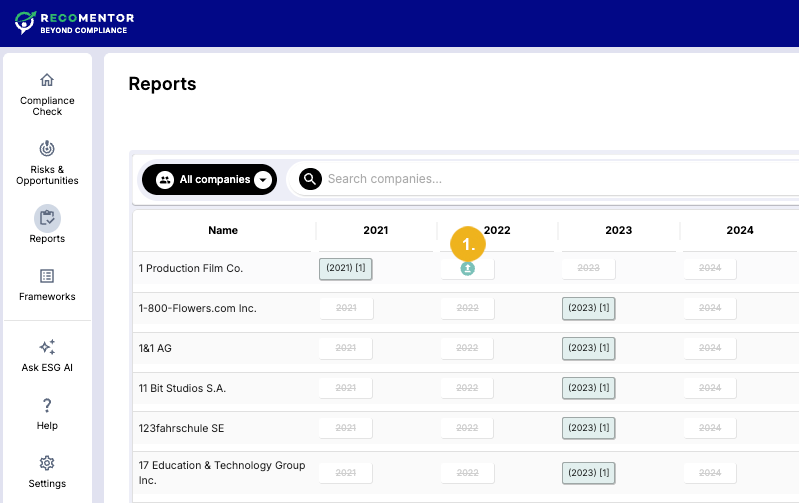
Locate the company in the list for which you want to upload the report.
Select the publishing year of the report. A strikethrough font for a year indicates that a report is currently missing. Additionally, an upload icon (1) will appear when you hover over the report. Clicking this button will open the Upload Report dialog.
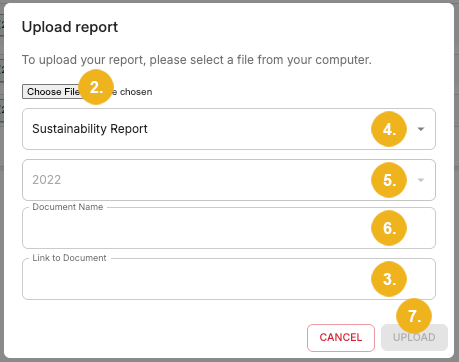
Attach the report via the Choose File button (2) and enter its URL into the Link to Document field (3). Choose the Document Type (4) (Annual Report, Sustainability Report, or Non-Financial Report) from a drop-down menu and specify the Document Name (5) as well as the Document Year (6). When you are done, click the Upload button (7).
Note
You can add reports to both common and custom companies. You cannot, however, remove reports that Recomentor was shipped with, i.e. reports associated with companies in the common database. To remove a report click the X next to it.
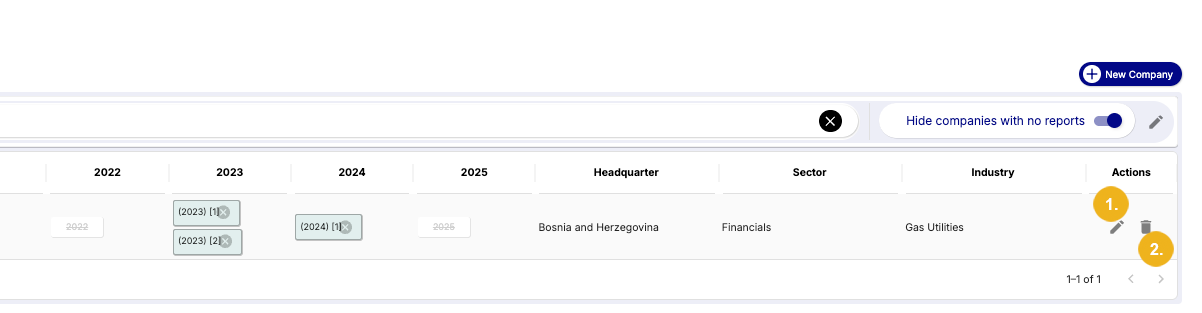
You can always modify a custom company's details by clicking the pen icon (1) in the Actions column. Edit the information in the Edit company dialog as desired and select Save to confirm.
Similarly, you can delete a company by clicking on the bin icon (2) in the same column. Clicking on the bin icon will open a Delete company warning window. Click the Delete button to finalize the deletion.
Companies in the common database cannot be edited nor deleted.
Caution
Once a custom company has been deleted it cannot be restored.
Complete Access Available with Recomentor PRO
The Recomentor LITE Demo is limited to 100 companies. Sign up the Full version to gain access to 3,176 companies with a total of around 5,000 reports as well as a vast array of advanced features.