Building Your Own Framework
03/11/2025
The Custom Framework Builder, available in the PRO version of Recomentor, allows users to create, edit, search, and delete custom compliance frameworks by selecting relevant ESG (Environmental, Social, and Governance) components via the Frameworks tab.
Recomentor PRO lets users add a custom framework in order to perform customized compliance checks.
Recomentor PRO Feature
The Custom Framework Builder is not available in the LITE Demo version. Sign up for Recomentor PRO to add custom frameworks and explore all of Recomentor’s advanced features.
Custom frameworks can be accessed via the Frameworks tab (1) on the left tab bar.
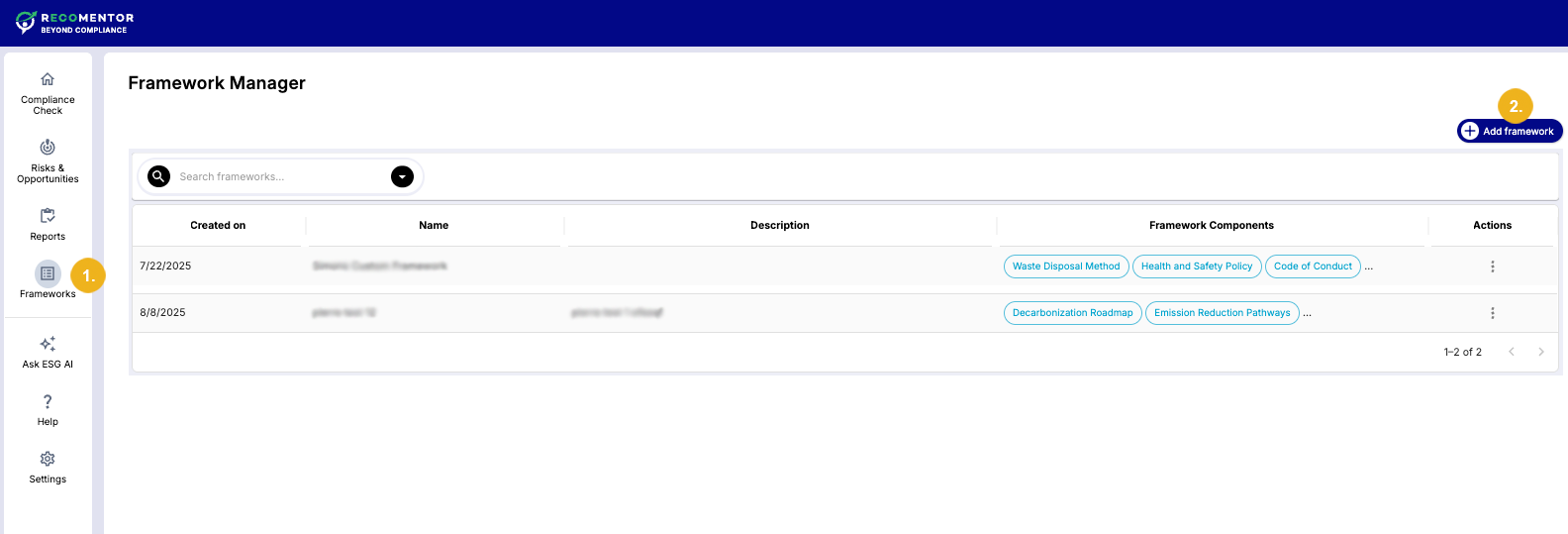
To create a custom framework:
Click on the Add Framework button (2) to open a new dialog.
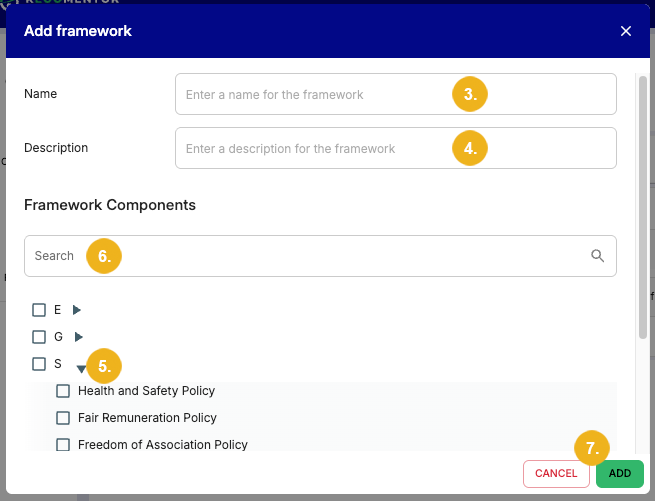
Enter the Name (3) of your custom framework in this dialog.
Optionally, create a brief Description (4) of the framework.
Select Framework Components relevant for your customized framework from a faceted list of ESG (Environmental, Social, and Governance) components. To expand these components and reveal their related concepts, click on the expander arrow (5) next to them. Some concepts can also be expanded to reveal any available narrower concepts for deeper granularity. Alternatively, ESG topics can be searched and selected via the search bar (6) in the dialog.
Select Add (7) to add your custom framework to the list.
Note
You can click Cancel (7) to exit out of this window. Doing so will not save your changes.
You can find existing custom frameworks in the list by searching their name in the provided search bar (8).
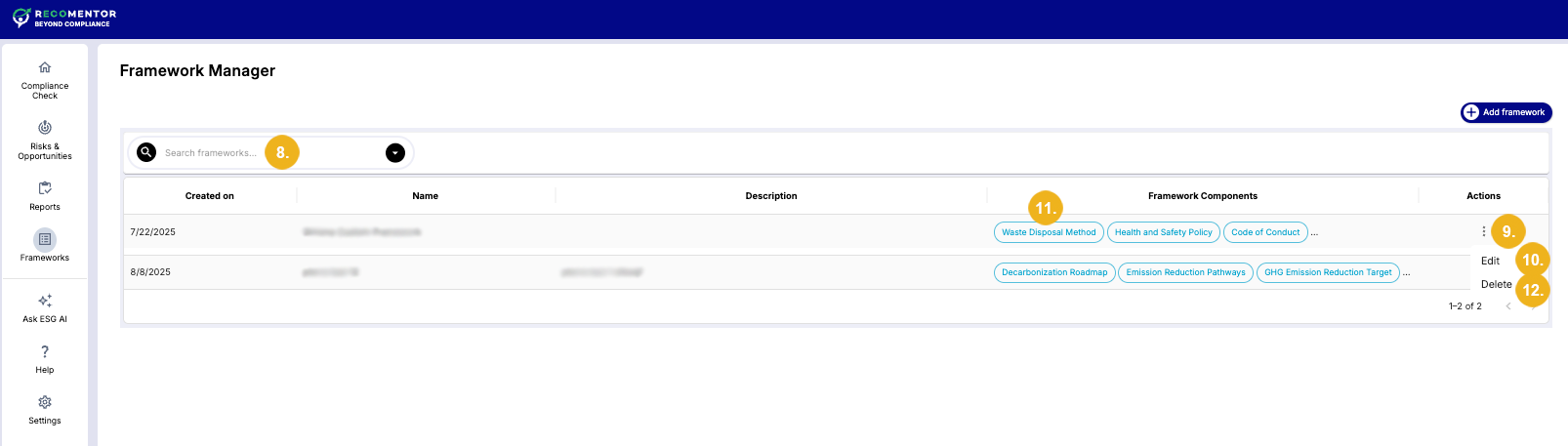
To edit a custom framework, click the dots icon (9) in the Actions column and select Edit (10) from the menu. Alternatively, you can select any item in the Framework Components column (11) of a framework to open the editing dialog.
Click Delete (12) in the dots menu if you want to delete a custom framework.
Caution
Selecting Delete opens a warning dialog. Click the Delete button in this dialog to finalize the deletion. Please note that you cannot restore a custom framework once it has been deleted.